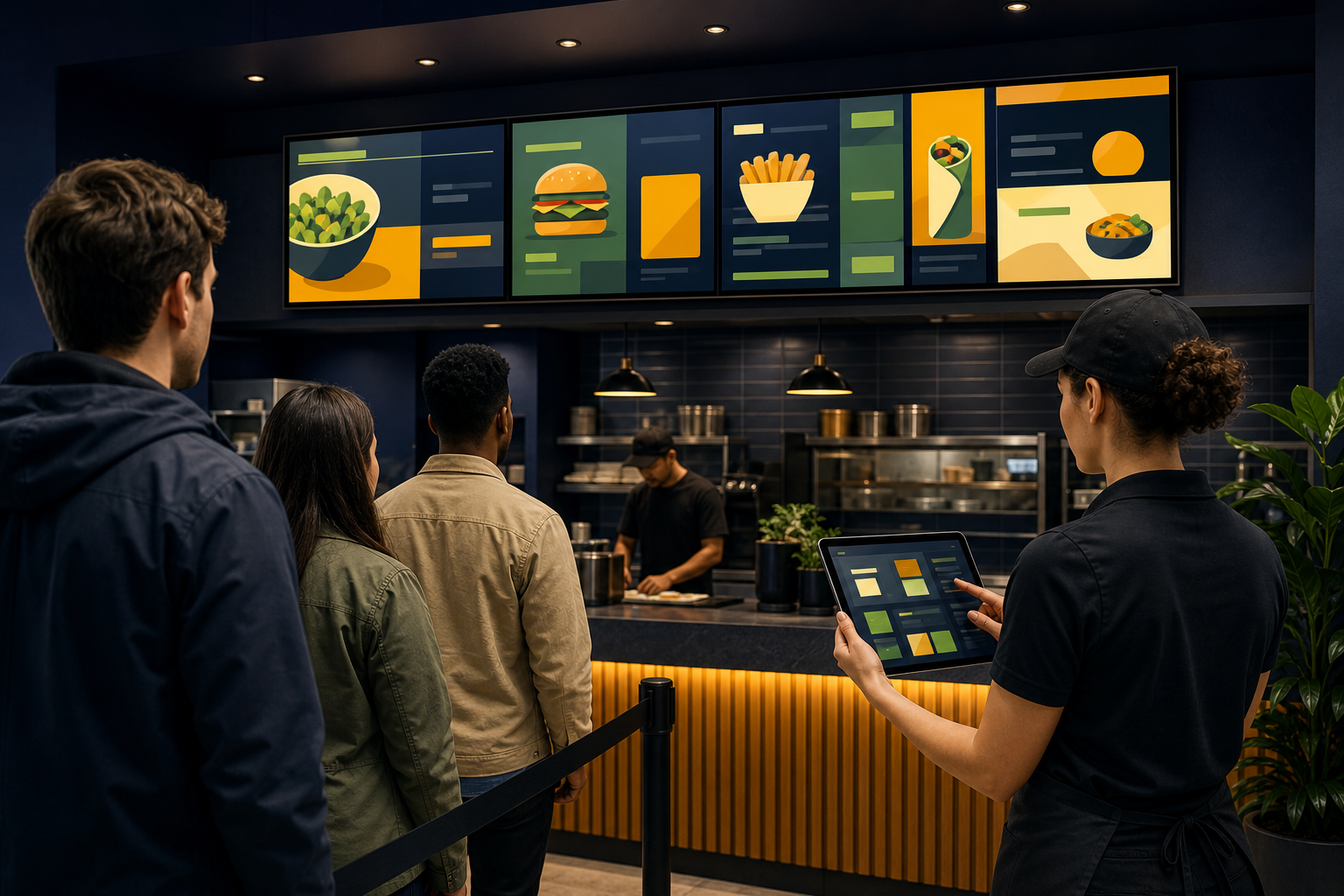
A restaurant menu can be accurate in the back office and still fail at the counter. Prices may be hard to read from the queue, a promotion may remain on screen after it ends, or one location may show different information from another.
Digital menu board software helps teams organize and display menu content on dedicated screens. The software is only one part of the decision, however. A useful setup also depends on screen placement, viewing distance, content ownership, update procedures, and what happens when something changes during service.
The practical approach is to treat a digital menu board as an operating workflow—not just a television with a menu image on it. This guide explains what to evaluate before choosing software and how to plan a rollout that staff can maintain.
What is digital menu board software?#
Digital menu board software is used to prepare, publish, and manage menu or promotional content on one or more screens. Depending on the product, the workflow may involve web pages, images, presentation-style layouts, or other screen content.
A typical restaurant setup includes:
- One or more displays behind a counter, at a drive-through pickup area, or near a self-service station.
- A playback device or supported display environment.
- Content that presents menu items, prices, descriptions, promotions, or service information.
- A process for approving, updating, and checking what appears on screen.
The important distinction is between the screen and the content-management workflow. A screen shows the result, but software determines how easily your team can change that result and keep multiple displays consistent.
A digital menu board does not automatically replace a point-of-sale system, kitchen display system, ordering kiosk, or accessibility process. Confirm those requirements separately before selecting a platform.
When should a restaurant use digital menu boards?#
Digital menu boards are most useful when menu information changes often or when customers need to make decisions before reaching a staff member.
They may be a good fit when you need to:
- Change prices or availability without reprinting every board.
- Show breakfast, lunch, dinner, or late-night menus at different times.
- Present a small number of high-priority promotions near the ordering point.
- Keep menus visually consistent across several screens or locations.
- Display web-based content or other information on a dedicated screen.
They may be less useful when the menu rarely changes, the display location has poor visibility, or the available network and power infrastructure cannot support a dependable screen workflow. A printed fallback may still be sensible for outages, accessibility needs, or temporary service interruptions.
Before buying software, observe the customer journey. Where do people wait? When do they see the menu? Are they standing close to the screen, or reading it from the back of a queue? Those answers affect layout and hardware decisions as much as the software itself.
Decide what belongs on the screen#
A menu board has limited attention and physical space. It should help a customer choose, not reproduce every piece of information in your ordering system.
Start by separating content into three groups:
Core ordering information#
This is the information most customers need immediately:
- Item name
- Price
- Main options or variants
- Short descriptions where they clarify the choice
- Clear category labels
Helpful decision details#
These may be useful when they are accurate and easy to scan:
- Allergen information or dietary labels
- Portion or size options
- Combination details
- Service availability
The exact presentation should follow your restaurant's legal, operational, and accessibility requirements. Do not rely on icons or color alone to communicate important information.
Promotional content#
Promotions can draw attention, but they should not make the permanent menu difficult to find. Limit promotional elements to offers that staff can fulfill and that have a clear owner and end date.
A useful content rule is simple: if an item can be unavailable, repriced, or withdrawn, someone must be responsible for updating it.
Plan menus for distance viewing#
A menu that looks attractive on a laptop may be difficult to read across a restaurant. Design for the farthest realistic viewing position, not the person standing directly below the screen.
Check the following:
- Use short item names and descriptions.
- Keep related items grouped consistently.
- Maintain strong contrast between text and background.
- Leave enough spacing around prices and category headings.
- Avoid filling every part of the screen.
- Test the design in the actual lighting conditions.
- Check whether reflections, glare, or bright windows reduce legibility.
Screen orientation also matters. A wide display may suit a long counter menu, while a portrait display may work better in a narrow location. Hardware should follow the customer viewing path rather than forcing the content into an unsuitable layout.
For more background on size, brightness, viewing distance, and orientation, see the guide to choosing a monitor for digital signage and dashboard displays.
Choose screens, placement, and playback equipment together#
Software cannot compensate for a screen that is badly placed or difficult to maintain. Before deployment, document each display location and answer four questions:
- Who needs to see it? Customers, staff, delivery drivers, or a combination?
- How far away will viewers be? Record the closest and farthest normal viewing points.
- What environmental conditions apply? Consider glare, heat, dust, humidity, and physical access.
- How will the screen be serviced? Identify power access, network access, mounting, and safe maintenance procedures.
A restaurant may also use a kiosk for food ordering or browsing. A kiosk is not the same as a passive menu board: it requires a different interaction model, physical-access plan, and testing process. Treat interactive ordering and informational display as related but separate projects unless your selected platform explicitly supports both.
When evaluating hardware, consider the complete chain:
- Display
- Mount or stand
- Playback device, if required
- Power and cable management
- Network connection
- Remote-management process
- Staff access for troubleshooting
Variabl's screen setup help page can be a useful starting point for understanding the general screen-deployment workflow. Confirm the current supported devices and setup requirements before committing to a restaurant-wide installation.
Give menu changes a clear owner#
The most common operational mistake is treating content updates as nobody's specific responsibility. A menu board may be technically easy to change and still remain wrong because no one owns the change.
Define roles before launch:
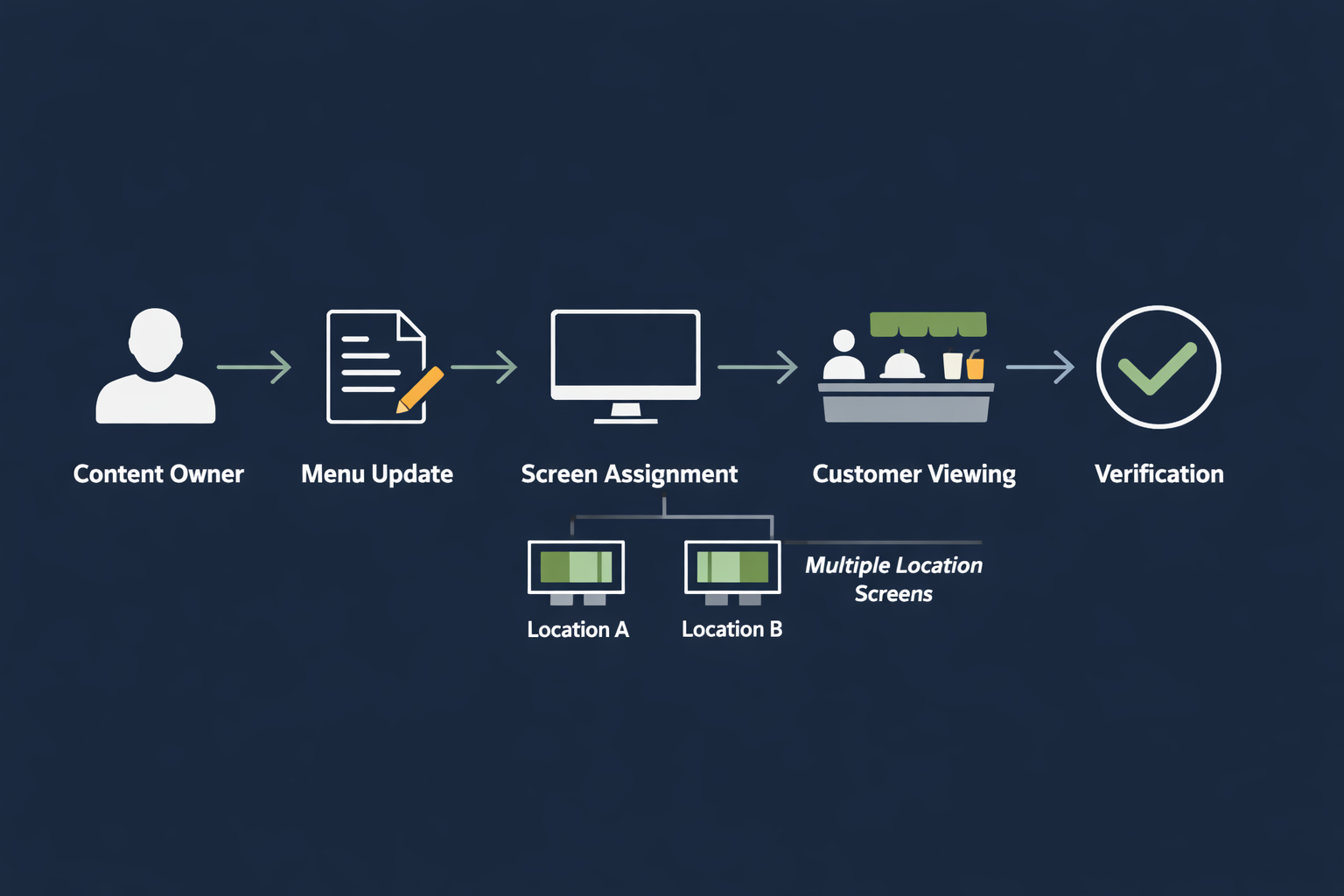
- Content owner: approves menu text, prices, promotions, and imagery.
- Publisher: makes the update in the screen-management system.
- Location reviewer: checks that the correct content appears at each restaurant.
- Escalation owner: handles urgent corrections or unavailable items.
For every planned change, record:
- What is changing
- Which locations are affected
- When the change should appear
- When it should stop appearing
- Who approved it
- How the result will be checked
Do not assume that a scheduled or remote update is available in every digital menu board product. Verify scheduling, location-based publishing, rotation, permissions, and expiry behavior with the vendor before including them in your operating procedure.
Plan multiple screens and locations#
A restaurant with several displays needs more than one attractive layout. It needs a content structure that prevents the wrong menu from appearing in the wrong place.
Start with a simple inventory:
| Field | Example purpose |
|---|---|
| Location | Identifies the restaurant or service area |
| Screen name | Distinguishes counter, pickup, lobby, or drive-through display |
| Orientation | Records landscape or portrait layout |
| Content group | Identifies the menu or promotion assigned to the screen |
| Owner | Shows who approves changes |
| Last check | Records the most recent visual verification |
Use consistent naming. A screen called Store 12 - Counter 1 is easier to audit than Display A. Keep location-specific differences explicit rather than copying a general menu and relying on memory.
For larger deployments, read the guide on planning multiple digital signage displays. It can help you think through screen grouping, naming, and operational ownership before the number of displays grows.
Questions to ask when evaluating software#
Use the following checklist when comparing signage solutions for a restaurant:
Content and layout#
- Can the system display the content formats you actually plan to use?
- Can staff update prices, item names, and promotions without redesigning everything?
- Can the same content be reused across several screens?
- Can different locations receive different content when needed?
Publishing and permissions#
- Who can edit content?
- Who can publish it?
- Is there an approval process?
- Can the system identify which screens or locations received an update?
- Are changes logged in a way your team can review?
Reliability and recovery#
- What happens if the network connection is interrupted?
- What happens if the playback device restarts?
- Can staff confirm that a screen is showing current content?
- How are failures reported and escalated?
Do not infer offline playback, automatic recovery, or monitoring from a product's general description. Ask for current documentation and test the behavior in a controlled environment.
Deployment and support#
- Which operating systems and playback devices are supported?
- Can the software run in a fullscreen or kiosk-style environment where appropriate?
- How are devices enrolled and removed?
- What support is available during rollout?
- Can the team manage screens without giving every editor access to the whole account?
Test before rolling out#
A short pilot can reveal problems that are difficult to spot in a design file. Choose one location and test the complete workflow during normal operating conditions.
- Publish a representative menu, including prices, descriptions, and a promotion.
- View it from the farthest normal customer position.
- Check it under daytime and evening lighting if conditions change.
- Update one item and confirm that the change reaches the intended screen.
- Remove or expire a promotion and verify that it no longer appears.
- Restart the playback equipment according to the planned support procedure.
- Confirm who notices, reports, and fixes a problem.
- Ask staff whether the update process is understandable and practical.
The goal is not merely to prove that a screen can display a menu. The goal is to prove that your team can keep the menu correct during a busy service period.
A practical buying decision#
A suitable digital menu board platform should match your operating model, not just your preferred visual style. Before deciding, write down:
- How many screens you need now
- How many locations you may add
- Which content changes are frequent
- Who owns menu accuracy
- Whether screens need different content
- Which devices and networks are available
- What fallback process is required
- Which capabilities must be verified in a pilot
A web-based signage workflow may fit restaurants that need to display web pages or other managed content on dedicated screens. Variabl's existing digital-signage material can help you explore related workflows, but restaurant-specific requirements—such as menu approvals, item availability, pricing controls, and ordering integrations—should be confirmed rather than assumed.
The best starting point is a small, representative deployment with a documented owner, a clear update process, and a visual check from the customer's point of view. Once that workflow is reliable, expanding to additional screens or locations becomes a management problem you can measure instead of a collection of ad hoc fixes.
Frequently Asked Questions#
What is digital menu board software used for?#
It is used to organize and display menu, pricing, promotional, or service content on one or more dedicated screens. The exact editing, publishing, scheduling, and device-management features depend on the software provider.
Is a kiosk for food the same as a digital menu board?#
No. A digital menu board is generally designed for viewing, while a food-ordering kiosk is designed for customer interaction. A kiosk may require touch interaction, payment, accessibility, physical security, and ordering-system integration that a passive menu display does not.
Can digital menu boards replace printed menus?#
Not always. Digital displays may simplify frequent updates, but restaurants should consider outages, accessibility, customer preferences, and operational fallback procedures. Whether printed menus can be removed depends on the restaurant's needs and applicable requirements.
How many screens does a restaurant need?#
There is no universal number. Start with the customer journey: identify where customers make decisions, how far away they stand, and whether one screen can be read without creating congestion. Add screens only when they improve visibility or separate different content needs.
Should a restaurant connect menu board software to its POS system?#
That depends on the required workflow and the products involved. POS integration can affect pricing, availability, approvals, and security. Verify that capability directly with the software and POS providers rather than assuming that a signage platform includes it.